This guide provides steps for editing property marketing address details, ensuring accurate and appealing listings. It highlights the importance of customizing address formats, especially for properties like flats, to enhance visibility and professionalism.
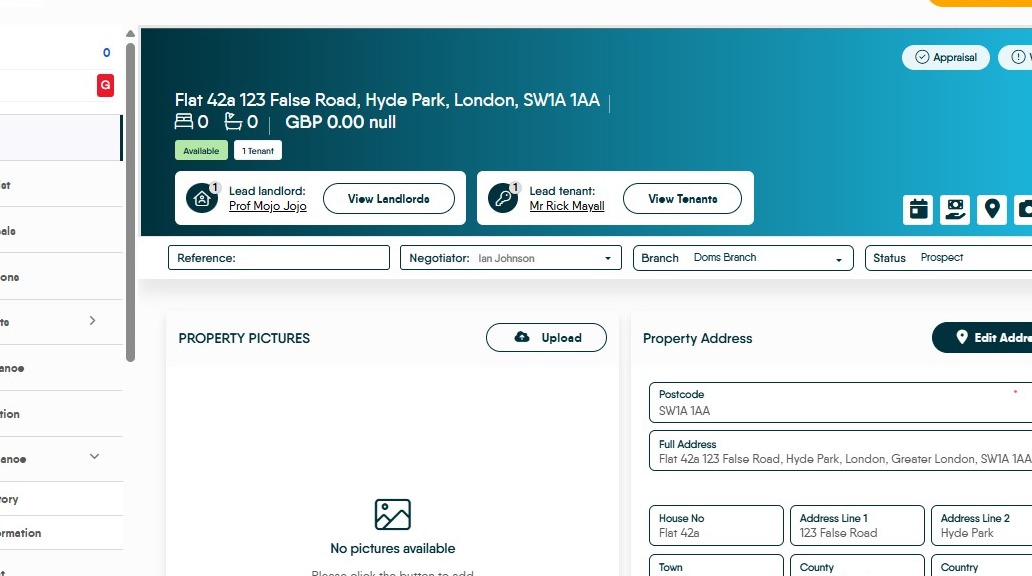
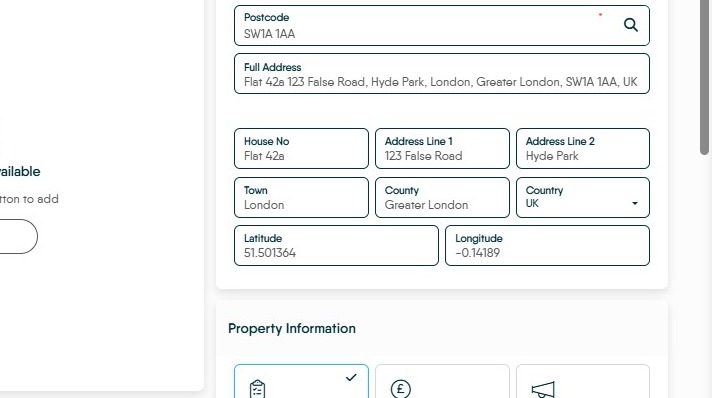
1. When marketing a property, by default the property address will be uploaded as Address Line 1 and 2, Town, County, and the first half of the Postcode.
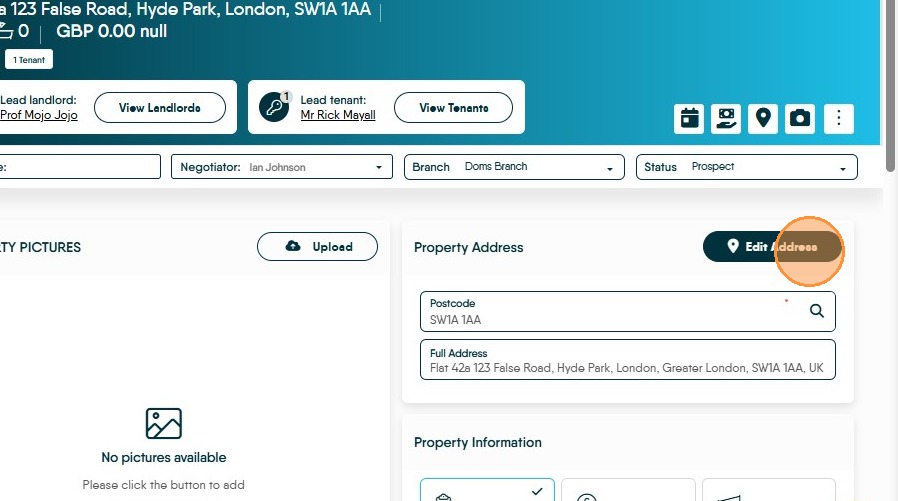
2. Click 'Edit Address' to view the formatting of a property's address
3. For certain properties, like flats, there may be property in Address Line 1 as well as House No. which, when marketing, would be preferred not displayed.
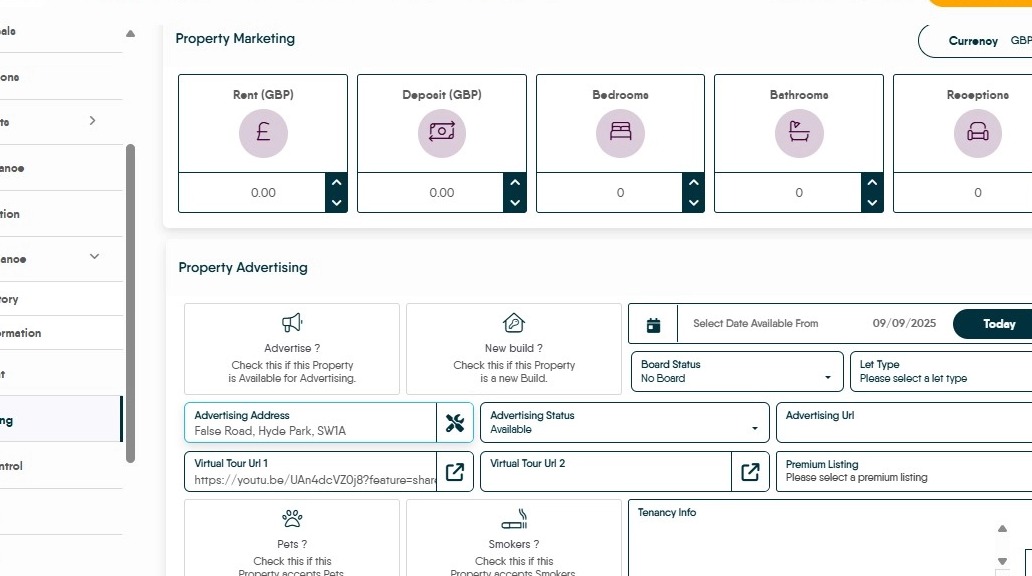
4. Go to the property's Marketing tab, and click the auto-fill button next to the Advertising Address
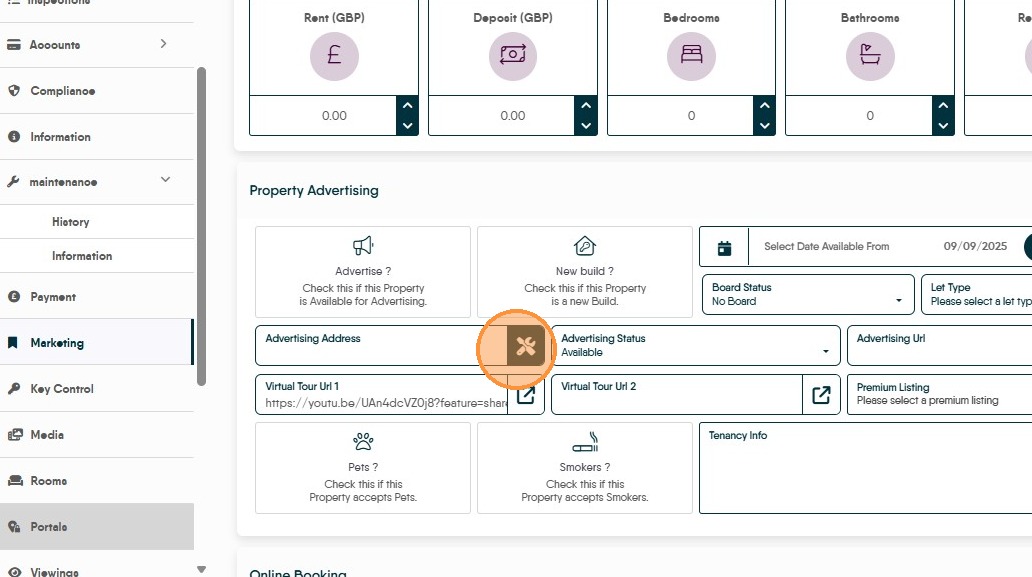
5. This will fill in the box with the address in the format previously given
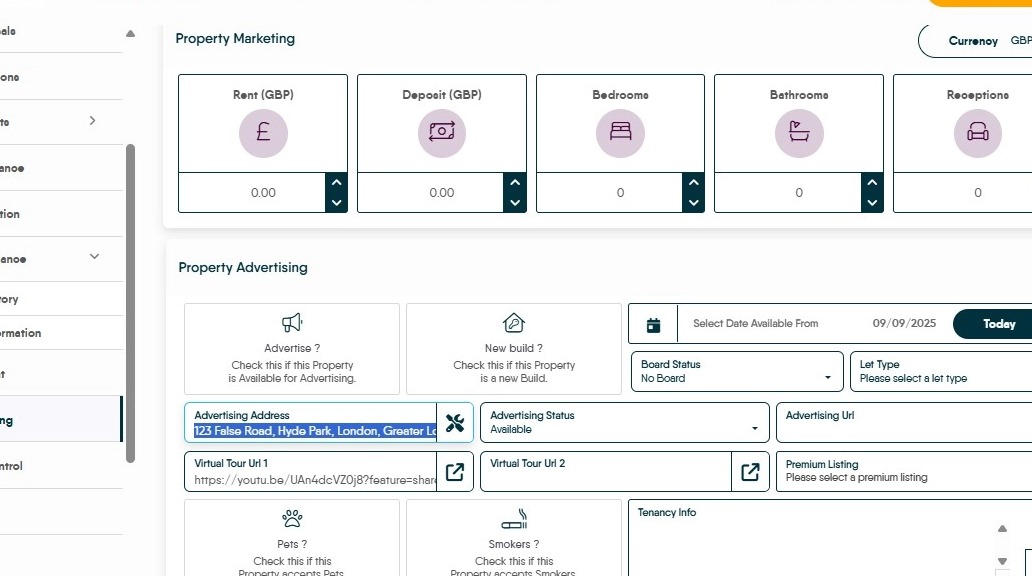
6. You can then delete or add whatever you may want to the address.
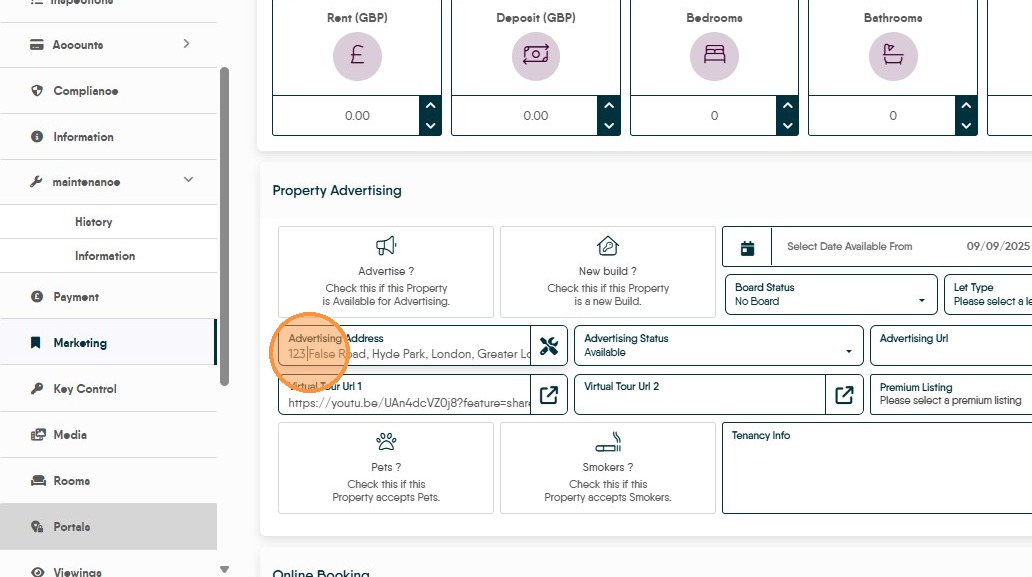
7. Save the page, and when you upload the property to the Portals, this is the address that will show.