This guide provides a step-by-step process for configuring SMS provider settings in your CRM. By following these instructions, users can effectively integrate SMS functionalities, enhancing their operational efficiency and client engagement. It simplifies the setup of essential features like sender IDs and API links, making it easier for businesses to leverage SMS for marketing and communication.
Alert: All of the SMS providers iamproperty CRM works with are subscription products and rely on the end user having an account with the provider as well as agreeing to the SMS providers charges, terms and conditions.
For more information on textanywhere https://www.textanywhere.com/contact-us/?utm_medium=Partner&utm_source=108891&utm_campaign=IAMProperty&ls=Partner&sc=108891&sd=IAMProperty
1. Navigate to https://crm.iamproperty.com/MyDay
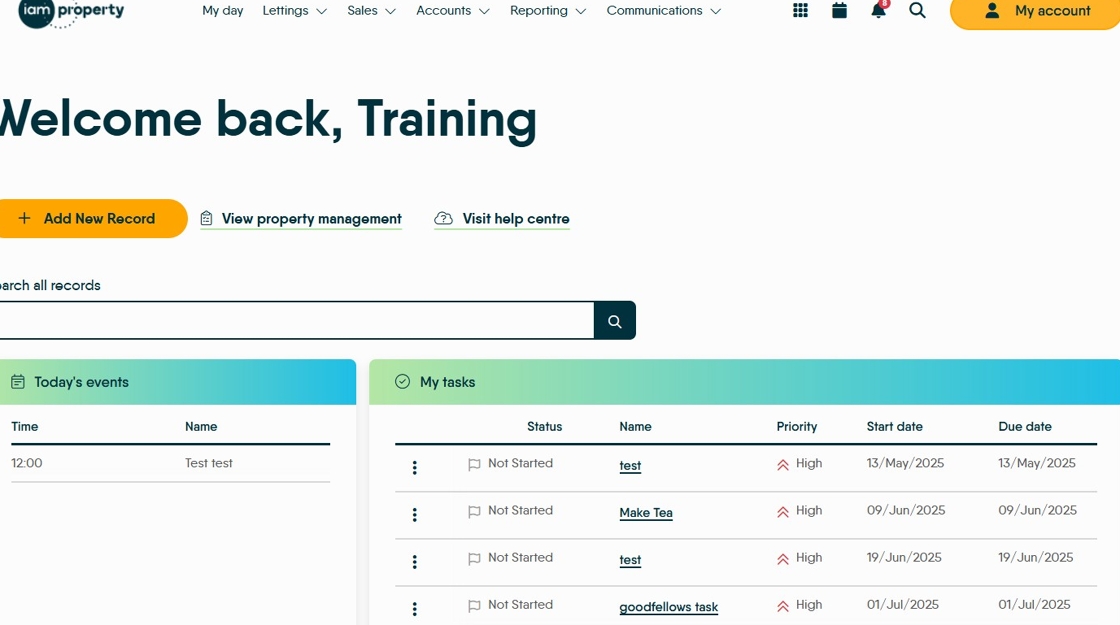
2. Click "My account"

3. Click "Control centre"

4. Click "Configuration"

5. Click "SMS"
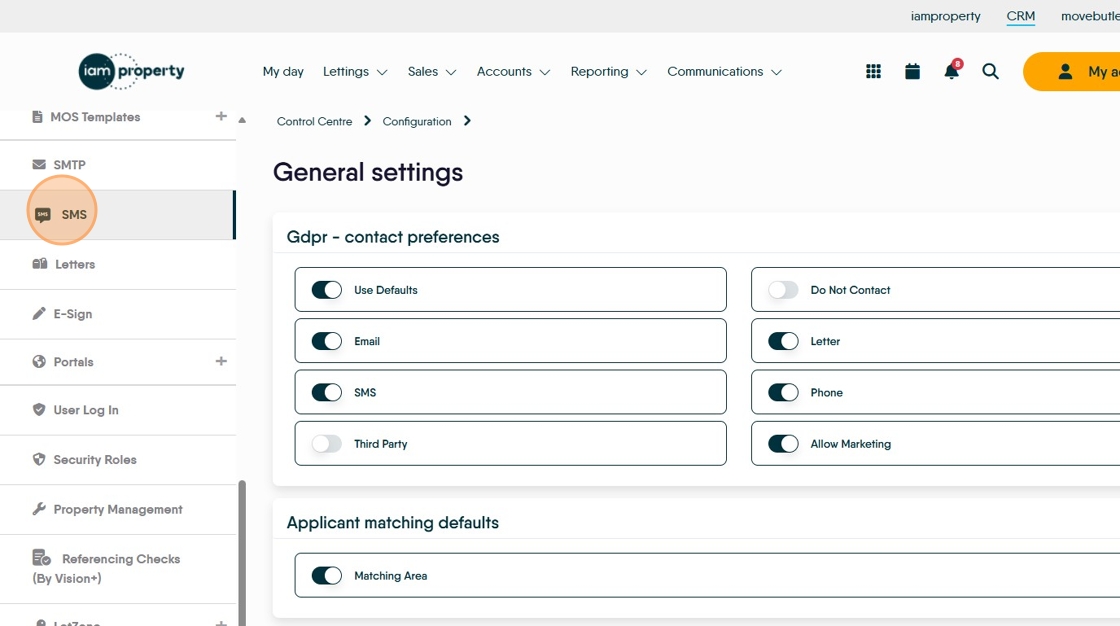
6. Click here to enable the sending of SMS messages.

7. There are 2 SMS providers Clockwork and textanywhere you can use either one. The set up for each is shown below.
Clockwork
8. Click "Clockwork"

9. Click this text field and enter the API key you have been provided by Clockwork.
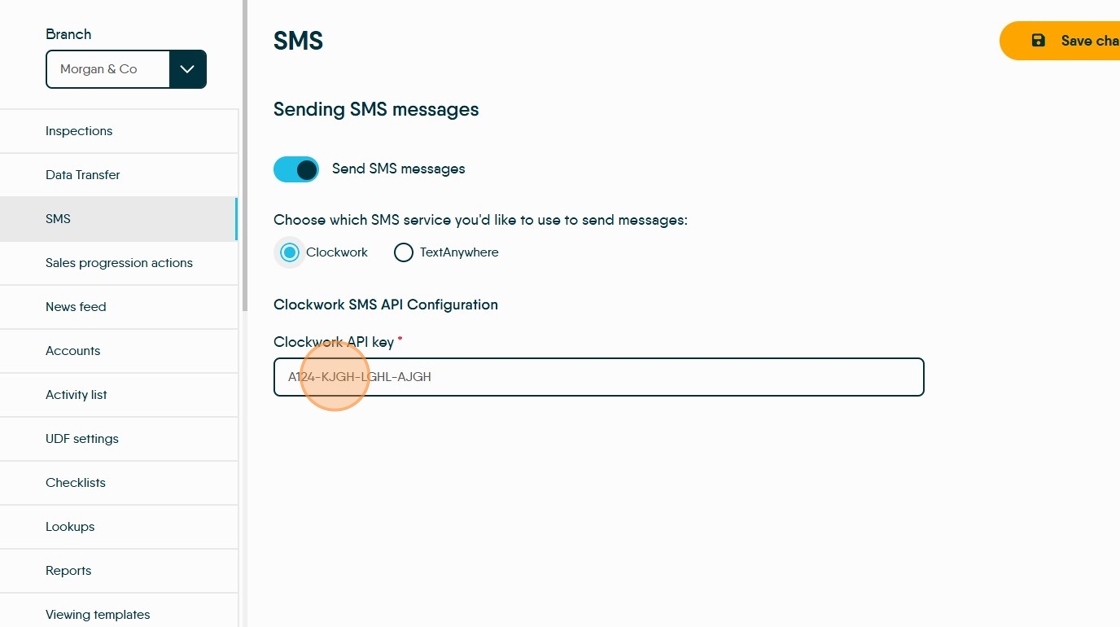
10. Click "Save changes"

Text Anywhere
11. Click "textanywhere"
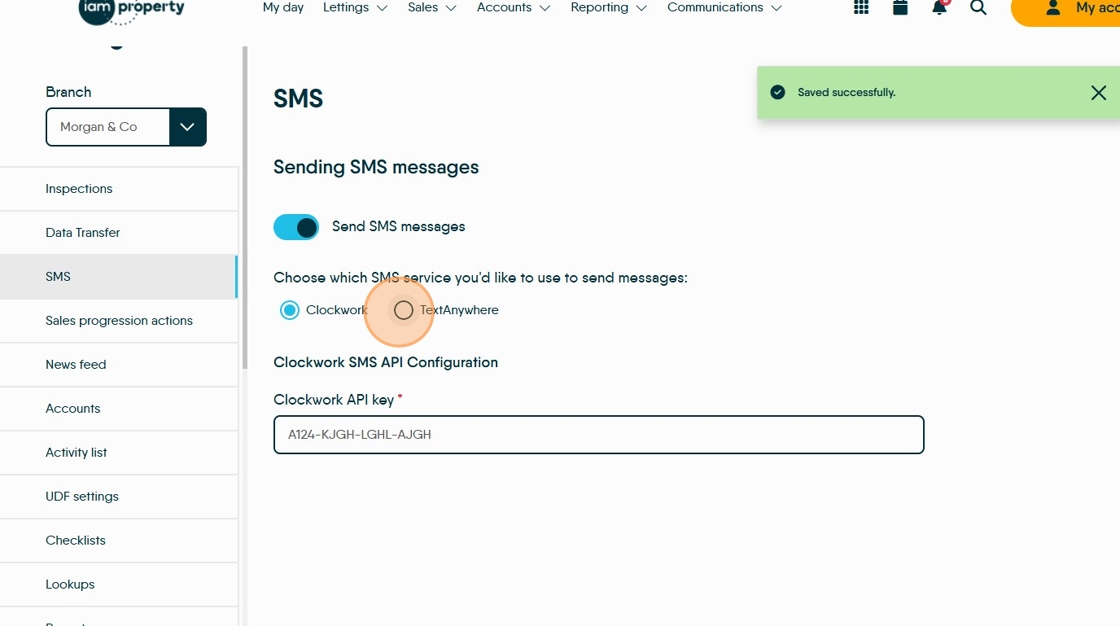
12. Click this text field add the email address you used to register with textanywhere

13. Click the "API password" field and add the password supplied.

14. Click "Link with textanywhere"


Alert: Alert! To use the Branch Alias/Alias and Branch Sender ID/Sender ID as shown below, these need to be enabled in your textanywhere account before being added in CRM.
15. Click the "Branch alias" field. This is sender name clients see when you send an SMS. You can select it when creating a message.

16. Click the "Branch sender ID" field. This is the number that the recipient sees when you send a message.

17. These Alias and Sender ID sections are for individual users, allowing flexibility in who is shown to be sending a message e.g. Accounts, Property Management etc.
Click here to add the Name
Click here to configure the number that is shown as sending the message
Pricing
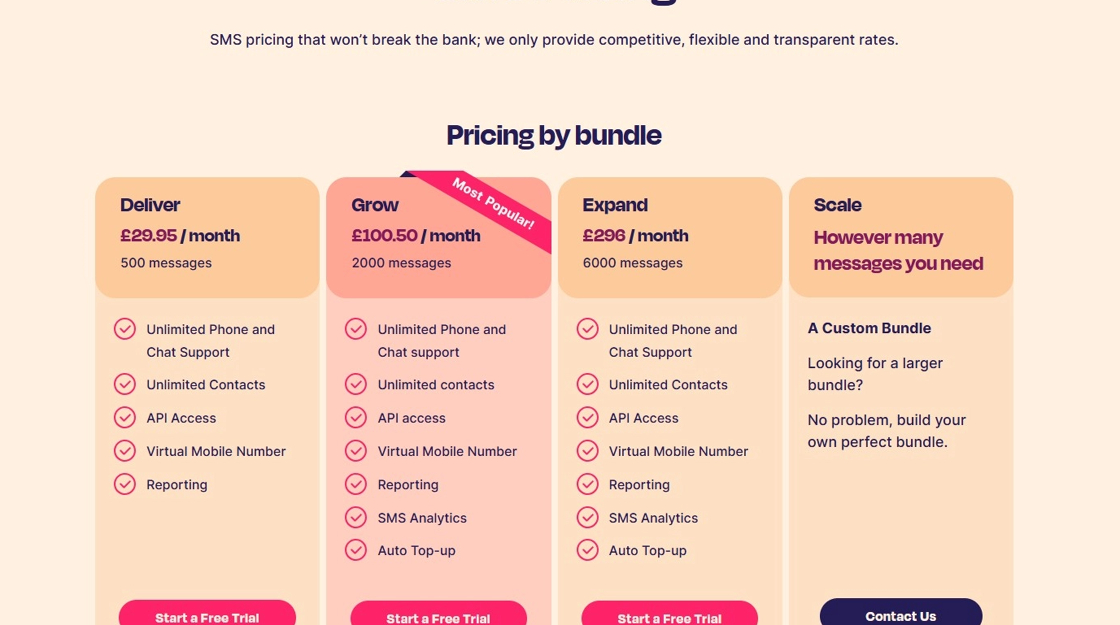
18. As mentioned at the start of this guide, Clockwork and textanywhere are subscription services CRM provides users with access to. To confirm service requirements and pricing please contact the providers directly.
19. Text Anywhere pricing
Contact https://www.textanywhere.com/contact-us/?utm_medium=Partner&utm_source=108891&utm_campaign=IAMProperty&ls=Partner&sc=108891&sd=IAMProperty for further information.
20.
