1. Navigate to the CRM Configuration page:
Click "My Account"

2. Click "Control centre"

3. Click "Configuration"

4. Click the "SMS" tab within Configuration
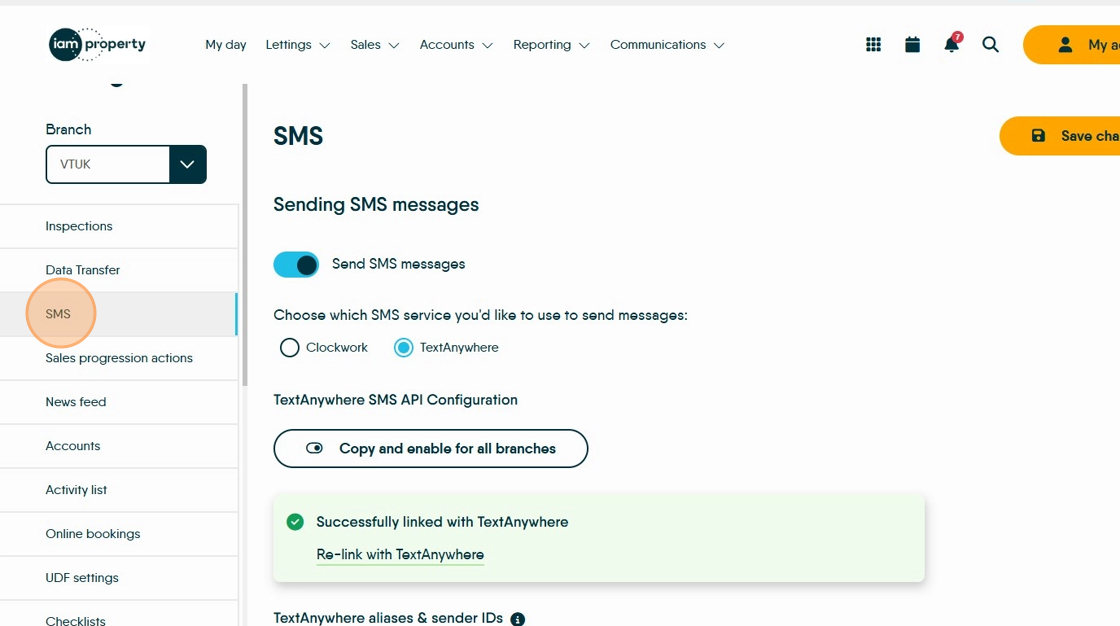
5. Toggle the SMS service to "TextAnywhere"

6. Enter your TextAnywhere email in "Registration Email"
Click hereto view a guide on finding your TextAnywhere email in TextAnywhere

7. Enter your TextAnywhere API password.
Click hereto view a guide on setting up/changing your password in TextAnywhere
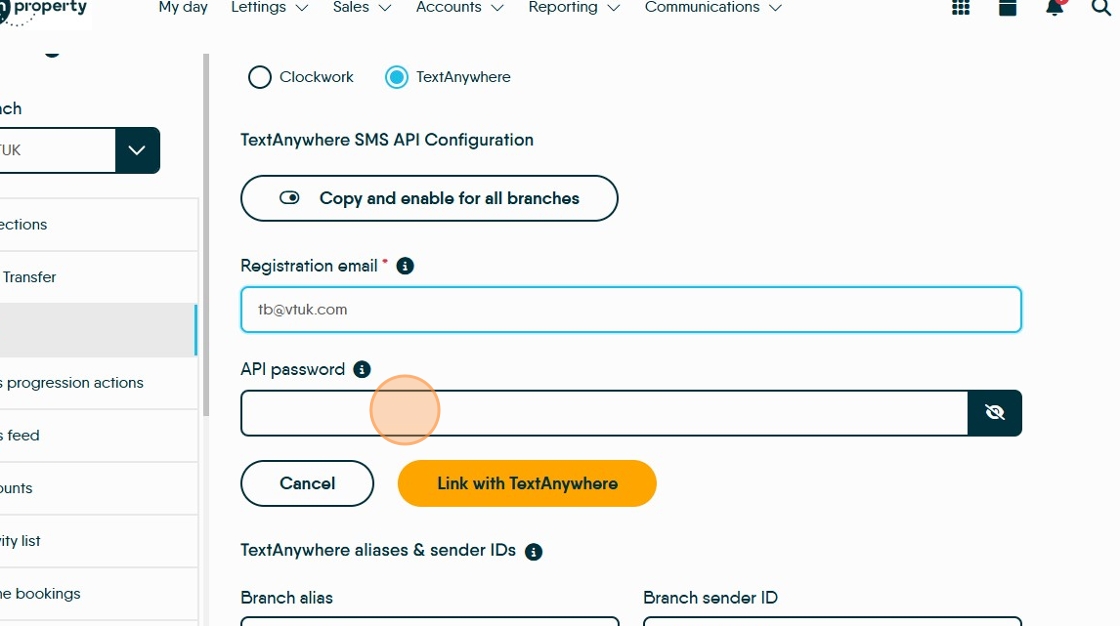
8. Click "Link with TextAnywhere"

9. You will see a confirmation message "Successfully linked with TextAnywhere"

Made with Scribe