This guide provides a straightforward process for adding a key record to a property, ensuring that you can efficiently manage access and maintenance issues. By following the steps outlined, you can easily document key details and any relevant notes, enhancing property management practices. It's an essential resource for anyone involved in property management, helping to streamline operations and improve communication regarding property access.
Tip: This process is the same in both Sales and Lettings properties. For more detailed information view [Managing_Key_Log_Records_in_CRM]
1. Navigate to your Property record.

2. Click "Key Control"
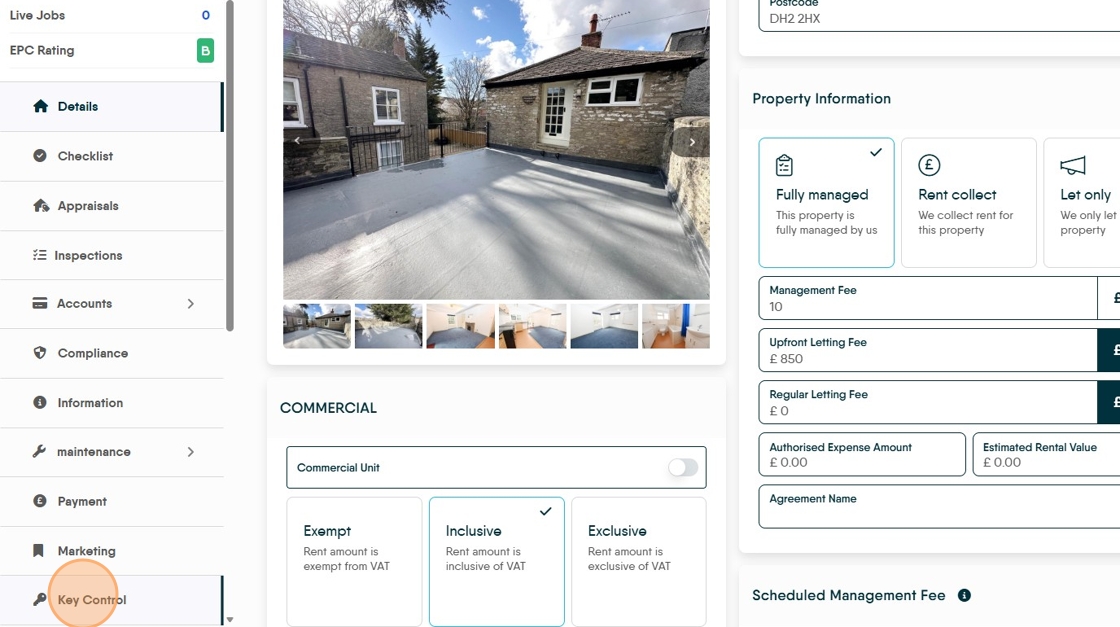
3. Click "Add Key"

4. Click this text field and add a "Key Number"
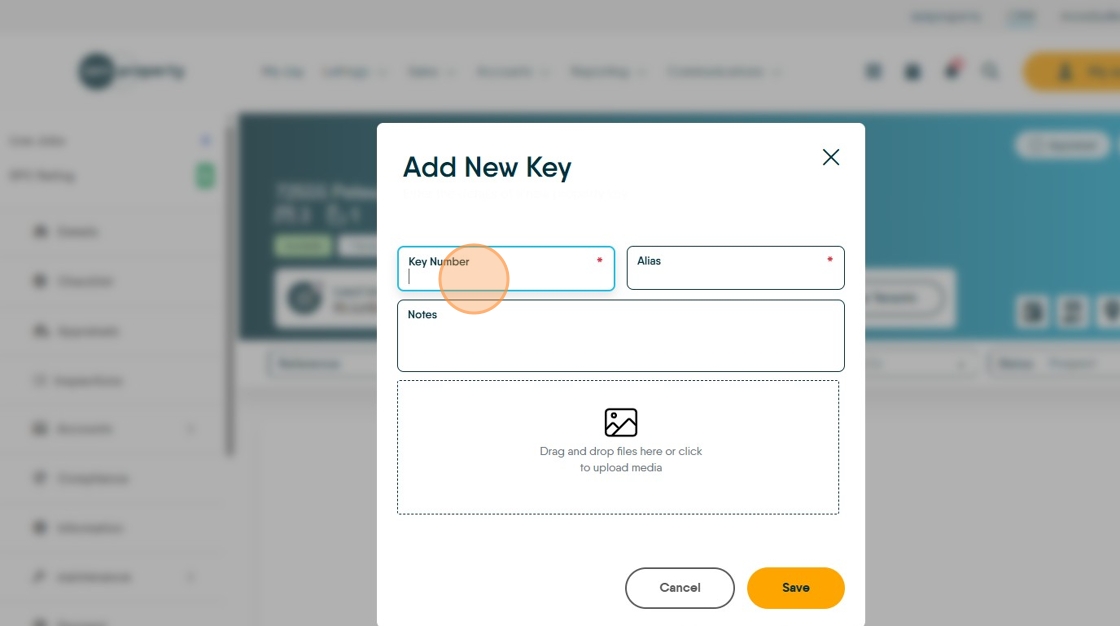
5. Click this text field add an 'Alias' (description) for the key
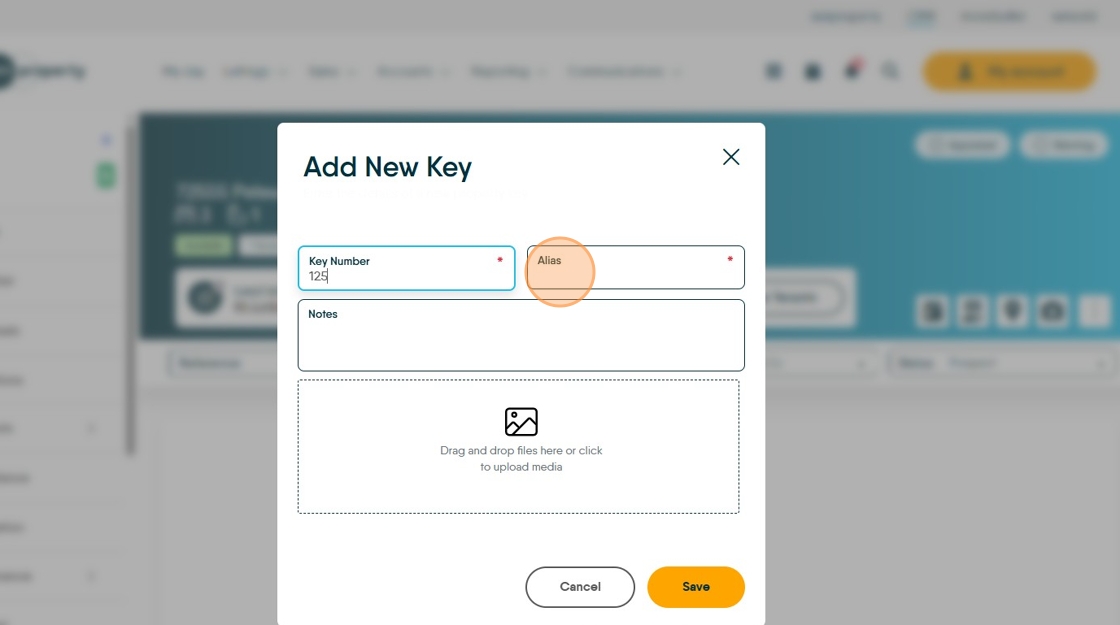
6. Click this field and add any 'Notes' regarding the Keys, property etc.

7. Click "Drag and drop files here or click to upload media" to add a picture of the keys.

8. Click "Save"
