This guide provides a step-by-step process for accessing and managing appraisals that require conclusions within the CRM system. By following these instructions, users can efficiently navigate the platform to view and assess property appraisals, ensuring timely decision-making and effective management of sales data. It's an essential resource for anyone involved in property sales or appraisal management.
Tip: This guide covers both Sales and Letting Appraisals Requiring Conclusion.
1. From anywhere in the CRM Click Sales or Lettings at the top of the screen, then select the appropriate dashboard. In the following example we are looking at the Sales Dashboard.
Click "Sales Dashboard"

2. Navigate to Sales or Lettings Dashboards

3. Click "Appraisals Requiring Conclusion"

4. Click the 3-dot menu here.
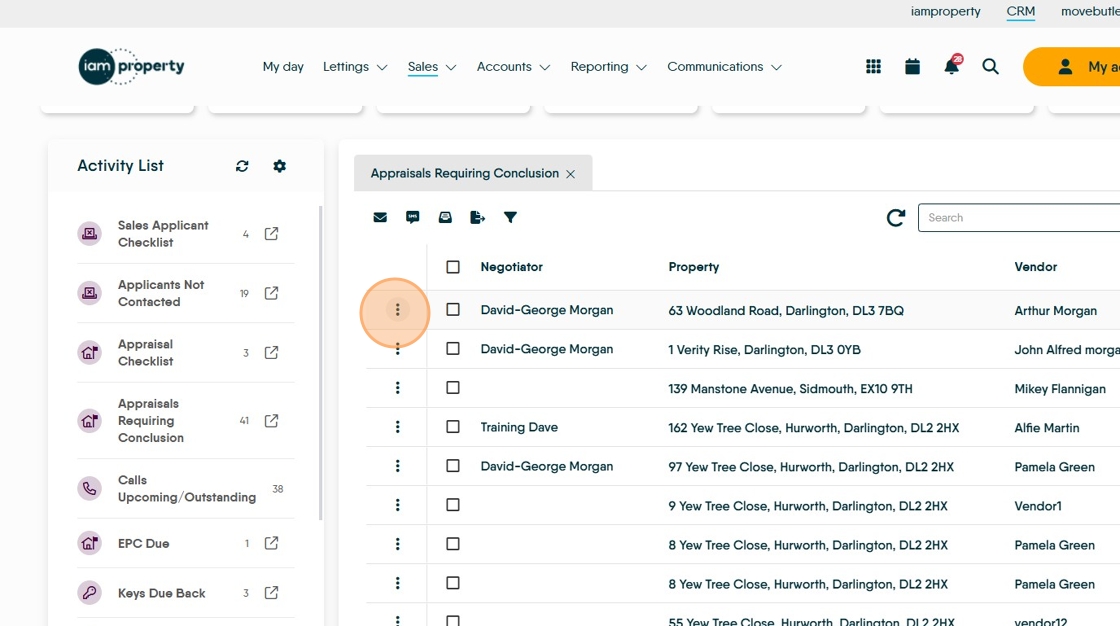
5. Click "View Property"

6. Once in the Property Record. Click "Appraisals"

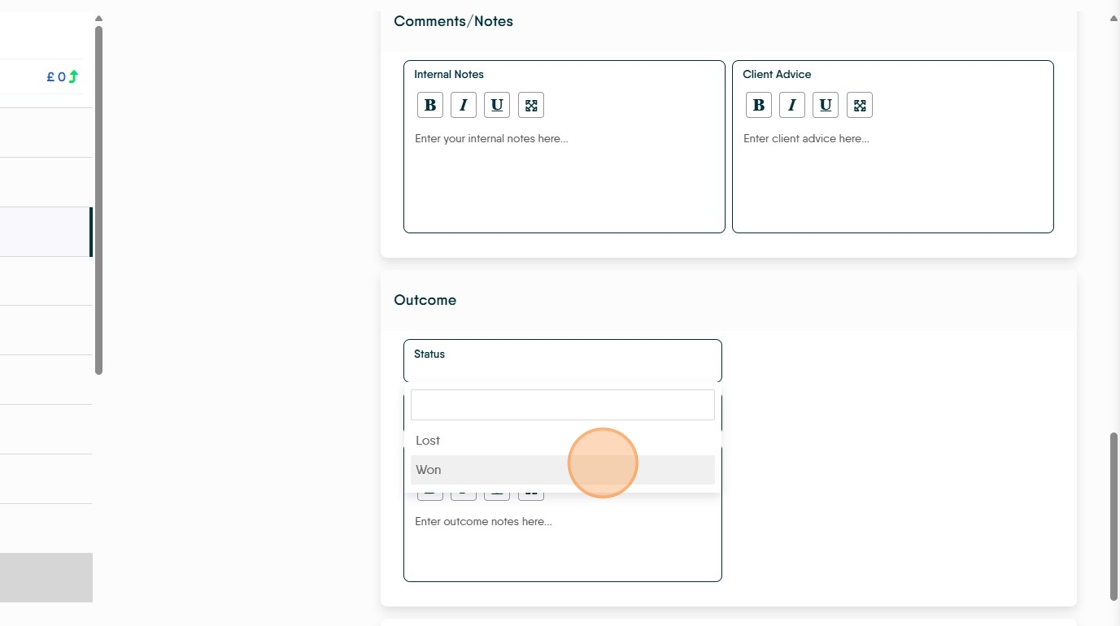
7. View and Update the Appraisal. To move the appraisal from the "...awaiting conclusion" menu scroll to the bottom of the screen and select 'Won'

8. To resolve the Appraisal scroll to the bottom of the page.

9. Click "Won" or "Lost" and enter any comments, who the business was lost to etc.