This guide provides a straightforward process for updating any email template in the CRM system. The example we use is an 'Offer made' template ensuring that users can efficiently communicate offers to property vendors. By following the steps outlined, users can personalise their messages, enhancing professionalism and clarity in their communications. This resource is essential for real estate professionals looking to streamline their workflow and maintain effective client relations.
Alert: For this example we are using the 'Offer Made' template accessed from a sales property offer, however any email (or SMS) template can be edited in the same way.
1. Navigate to the email option.

2. Click here.

3. Click "Select a Template"

4. Click "the template you are using" in this case offer made.

5. Click and edit your template as needed.

6. Click here.
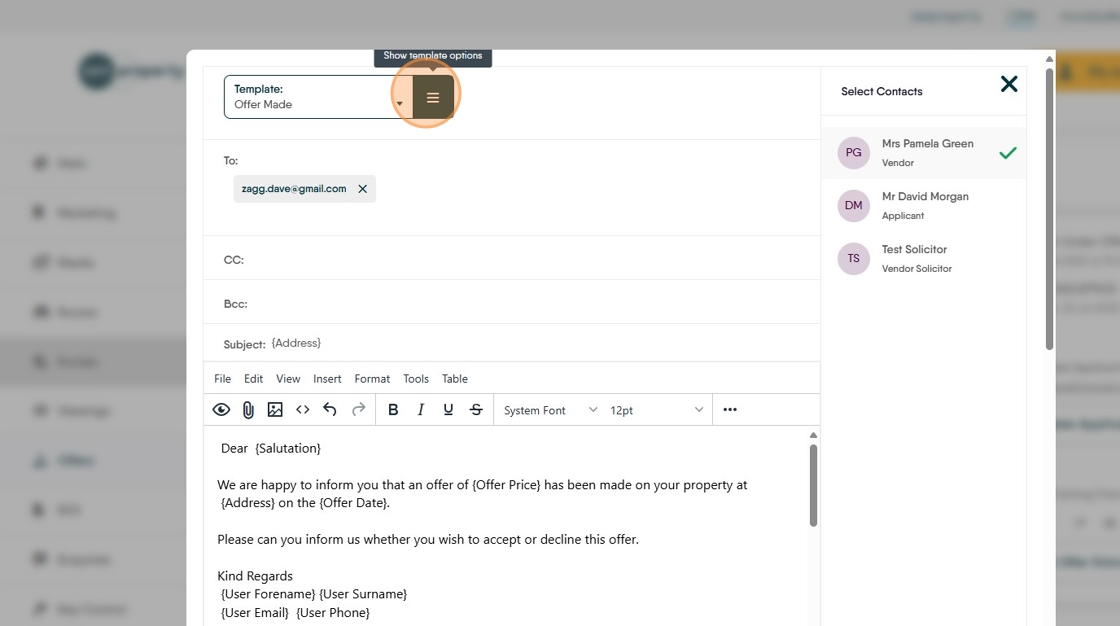
7. Click "Update Template" this will save and update the template replacing the previous version. If you want to keep the original version then select the "Save as New Template" option.
