This guide provides a straightforward process for adding new users to the iamproperty CRM, ensuring proper account setup and module access. Following these steps helps streamline user management in your organisation, enhancing collaboration and efficiency. It's essential for administrators who want to maintain control over user permissions and optimise the CRM's functionality. By utilising this guide, you can ensure a smooth onboarding experience for new users.
1. Navigate to https://crm.iamproperty.com/MyDay
2. Click "My Account"

3. Click "Control centre"

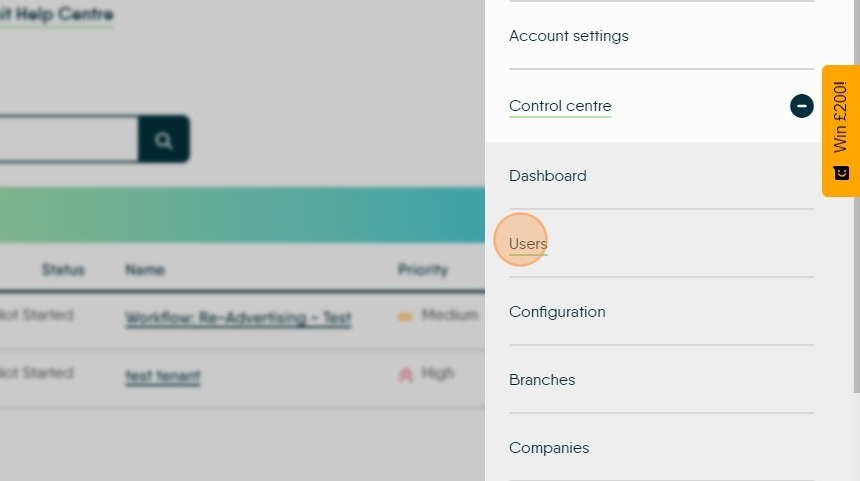
4. Click "Users"
5. Click "Add New User"

6. Complete the fields, minimum required are the fields with a red star. It is good practice to add as much detail as possible.
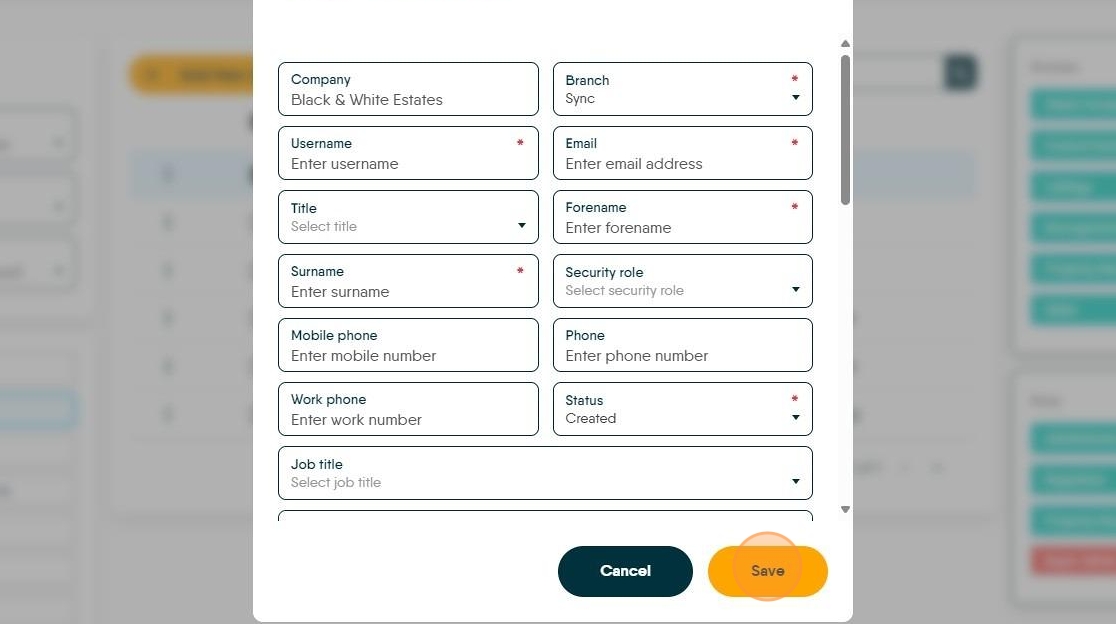
7. Click here.

8. Click "Set Password"

9. Click the "Password" field.

10. Click here to save the password.

Tip: Once the User account is created, ensure that the correct CRM modules are enabled on the account.
11. Click here. Green modules are enabled, click on the Red modules to enable them. The enabled option will be green, click these to disable (the option turns red).
