This guide provides a straightforward, step-by-step process for transferring Agent Ledger data within your CRM system. The Agent Ledger contains all the fees your agency has earned from Management fee, landlord fees etc.
1. Navigate to https://crm.iamproperty.com/Dashboards/Accounts
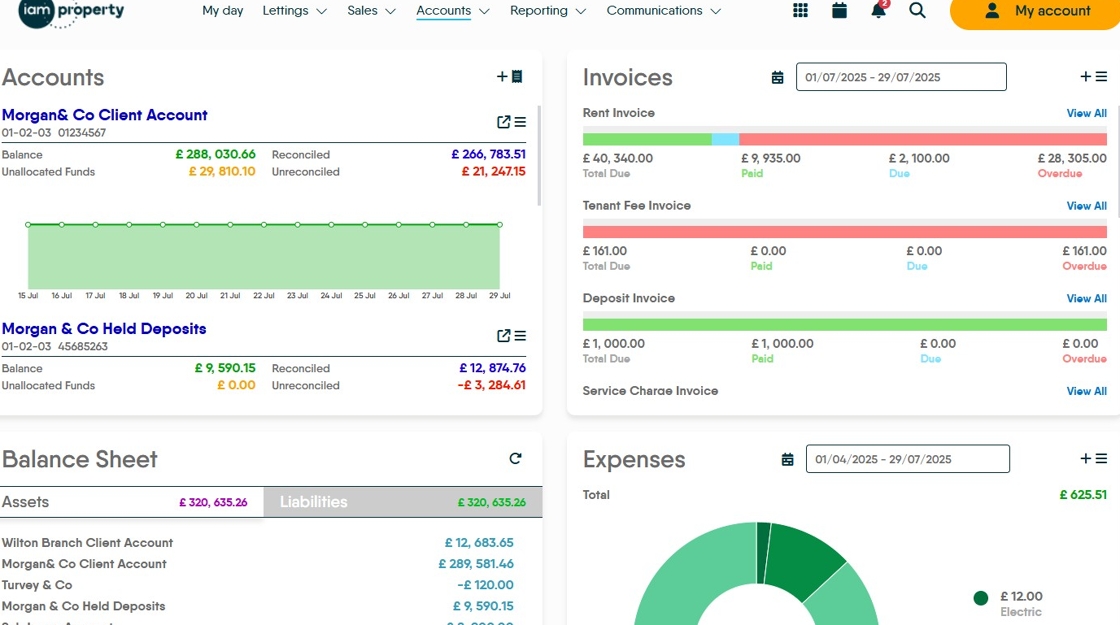
2. Click here to access the ledgers.

3. Click "Select ledger type"

4. Click "Agent Ledger"

5. Click "Group By Batch" if you want to group all similar payments together.

6. This screen shows all the fees that are available to transfer into your Client Account. The highlighted area top right shows the total amount transferred and the amount that is available to transfer over.
Click the "Checkbox" to select all the fees to be transferred.
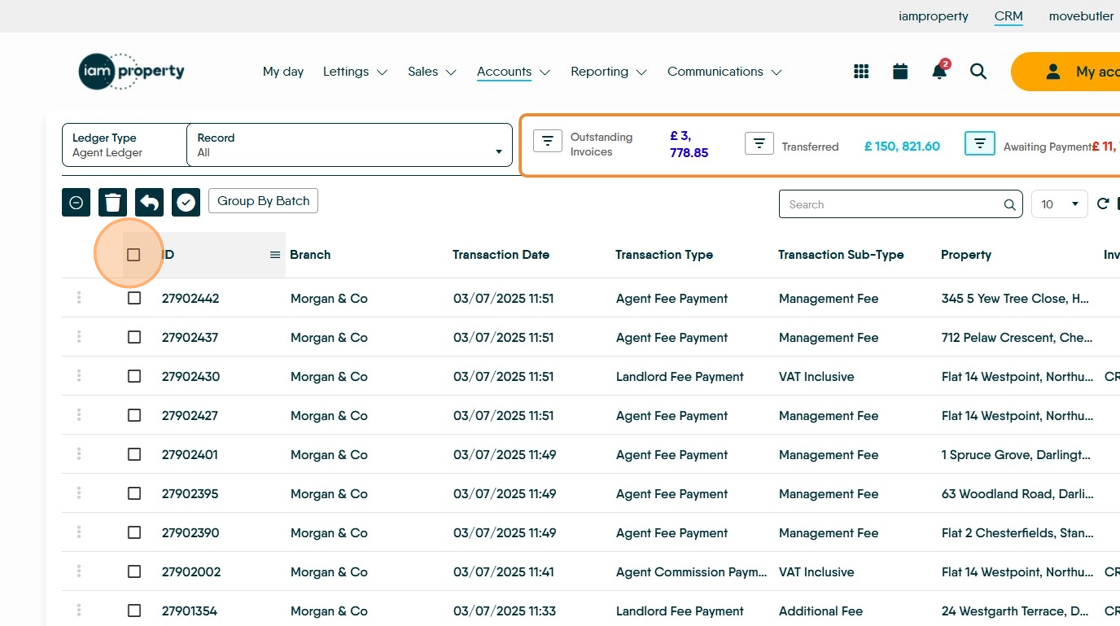
7. Click here to transfer the payment to your Client Account, for transfer to your business account.

8. This screen shows the amounts that will be transferred. Click "Transfer"

9. To check the fees have transferred to your client account. Click here to open your Client Account..


10. (If Group By Batch is selected) The Agent Payments will show like this
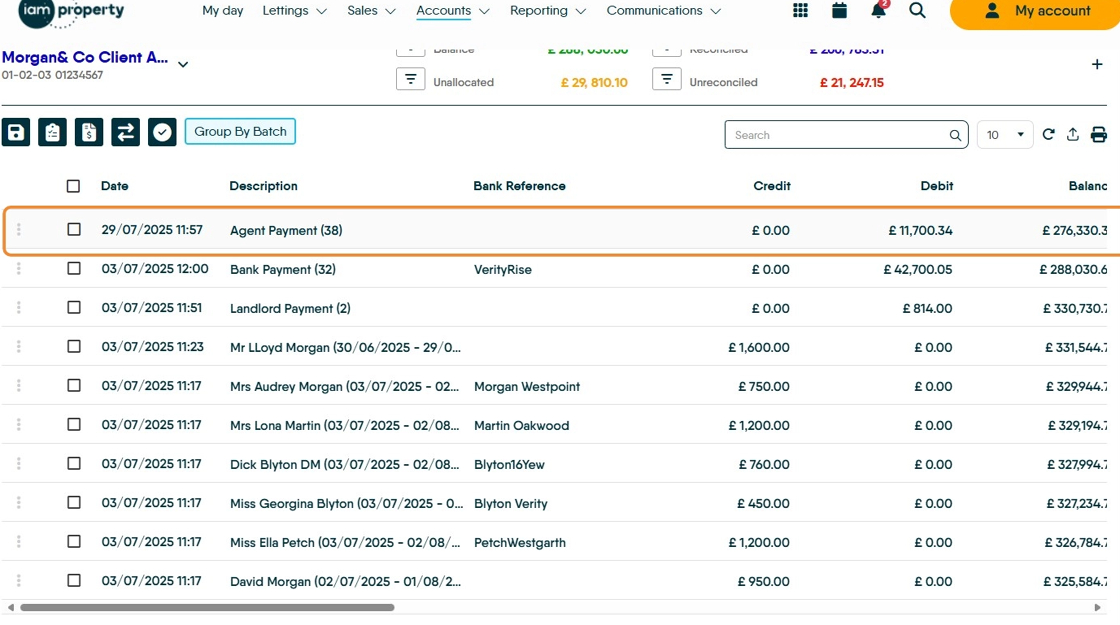
11. Examples of "Group By Batch"
12. Click "Ledger"

Agent Fees Log
13. Click here to load the log screen.


14. This will show a list of all the Agent Fees exported, an individual log can be selected and viewed on screen.

15. Click here.

16. The transfer log.
Click "Close"