This guide provides a straightforward process for efficiently emailing Property Management login details to contractors within the iamproperty CRM system. By following the steps outlined, users can quickly ensure the contractors are sent their Usernames. This is essential for maintaining effective relationships and facilitating smooth operations in property management.
1. Navigate to https://crm.iamproperty.com/MyDay
2. Click "My Account"

3. Click "Control centre"
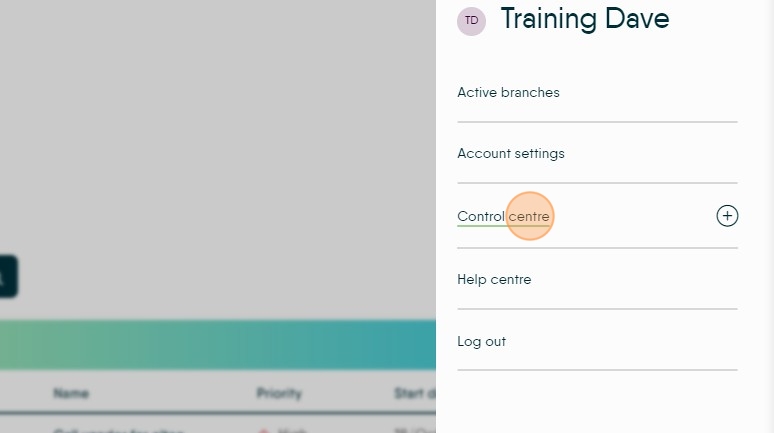
4. Click "Users"


5. Click "Contractors"

6. Once in the Contractors screen you can either, Click the checkbox at the top of the screen to select all Contractor records.
Or, Click this checkbox to select an individual Contractor record.
7. Then click "Email Details" this will send all Contractors an email with their Username.
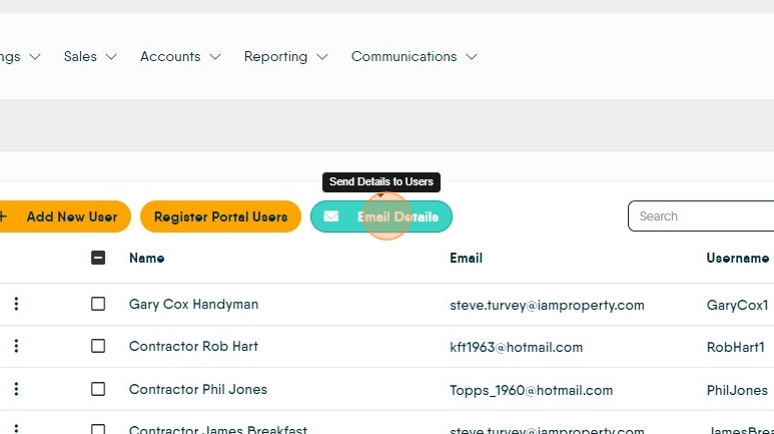

Alert: Alert! If the Contractor already has a login for the Property Management Contractor Portal sending this message will over ride the existing login.
8. Click here to send the email.
Click "Yes, Send it!"
9. The Email received by your Contractor will look like this.

10. Step