1. Navigate to the SMS Inbox.
Click "Communications"

2. Click "SMS Inbox"

3. In the SMS Inbox, you will see all your conversations.
New messages will be marked with an orange dot.

4. If a recipient responds to your message, you will get a notification within CRM.

5. Click the "Notification" icon.
You can also expand the notification for a preview of the message.

6. To view the message in full, navigate to the SMS Inbox and click into the conversation.

7. You can respond in the SMS Inbox conversation chain.

8. To remove the orange "new message" indicator, click "Mark as actioned"

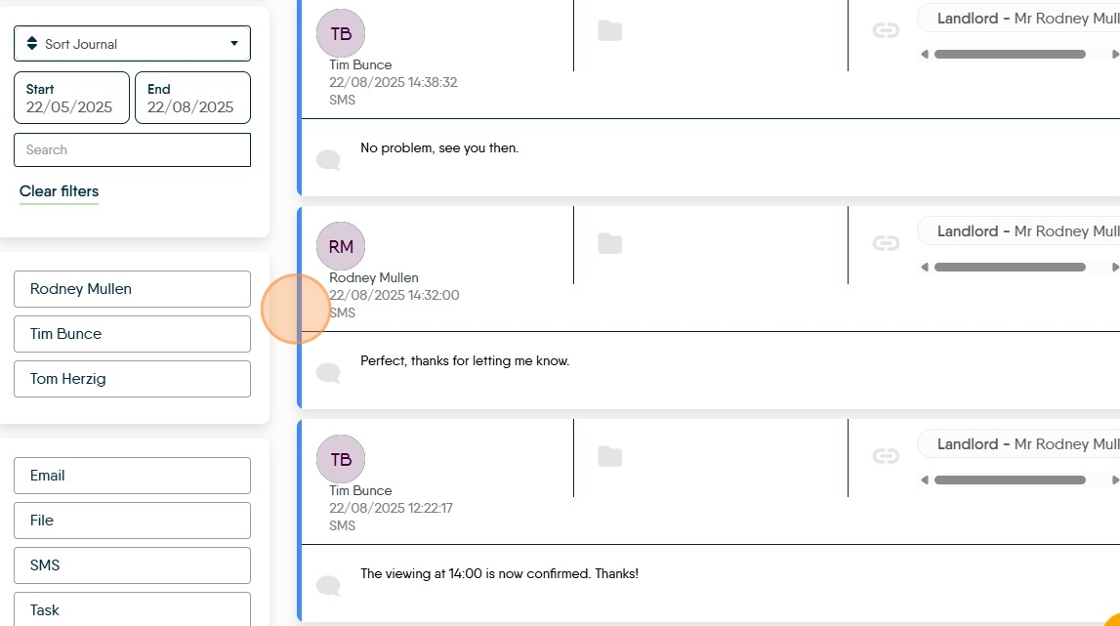
9. Messages sent and received in the SMS Inbox will also appear in the Journal.
Made with Scribe