This guide provides a straightforward process for efficiently sending group emails to tenants regarding compliance visits, ensuring clear communication and compliance. By following these steps, property managers can save time and streamline their communication efforts, enhancing tenant relations. Once sent these messages are added to the journals.
1. There are a couple of ways to do this.
If you have the Gas Safety (or any compliance record) dates already in the CRM records, use the Activity List and set the date range to how many days ahead you want to send the notifications.
Use the Property List views and select the Property from there and then follow the instructions as from slide 5.
2. Navigate to https://crm.iamproperty.com/Dashboards/Lettings
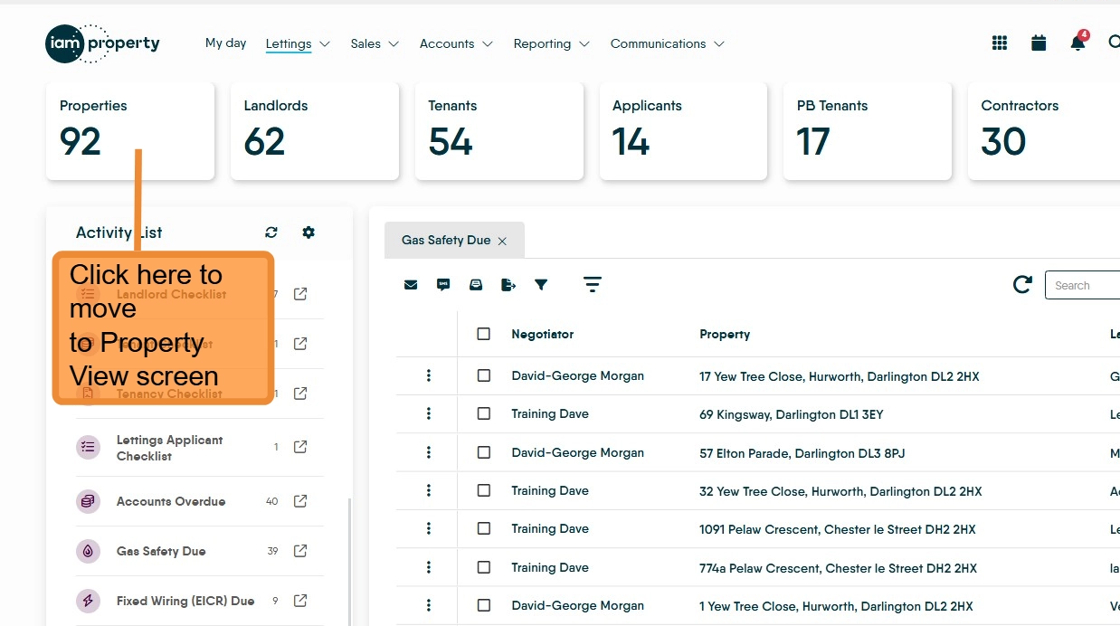
3. Click here.

4. From the menu click "View Property"

5. Click the property you want to view

6. Click "View tenants"

7. Click "EMAIL ALL"

Alert: Alert! There are no default templates on the CRM, templates need to be added. Once added the template will be available until deleted.
8. Click "Select a Template" or add your new template.

9. Select the template you want to use from the list.

10. The template will load and show on the screen, the words between the brackets {Property Address} are merge tags that will bring in the appropriate text. Click "Send Email"
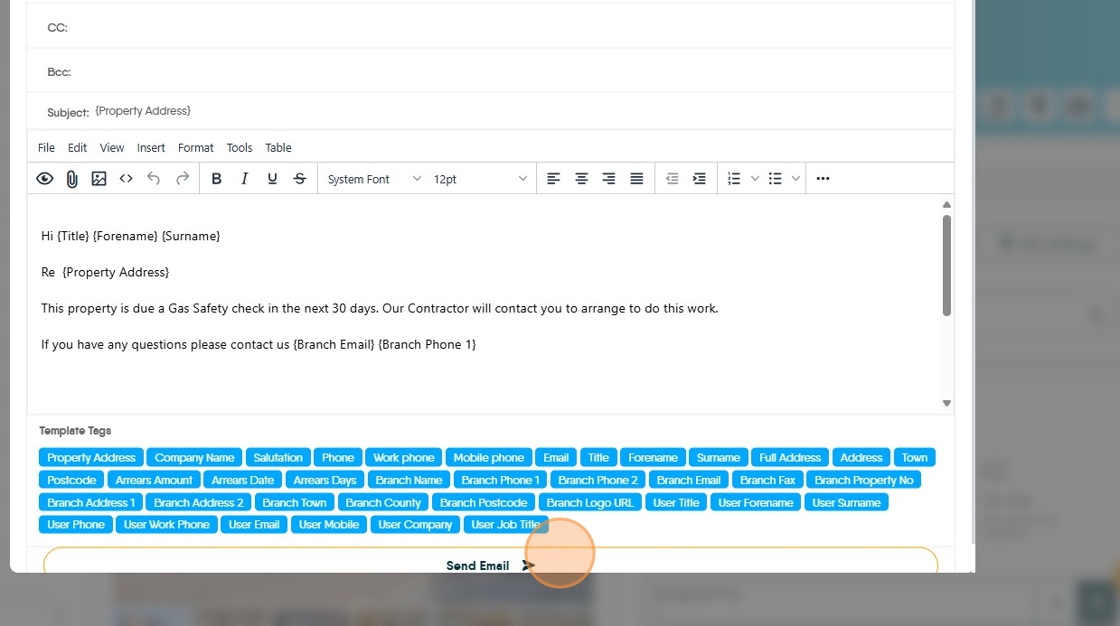
11. If you are in a property with multiple tenants, click "EMAIL ALL"

12. All the tenants will be added to the email, as shown. There are 2 options, the default is that each person gets a personalised email to them, the other is that there is a group email sent to all the tenants at the same time. To select Group email click the option in the top right corner. Then click "Select a Template".
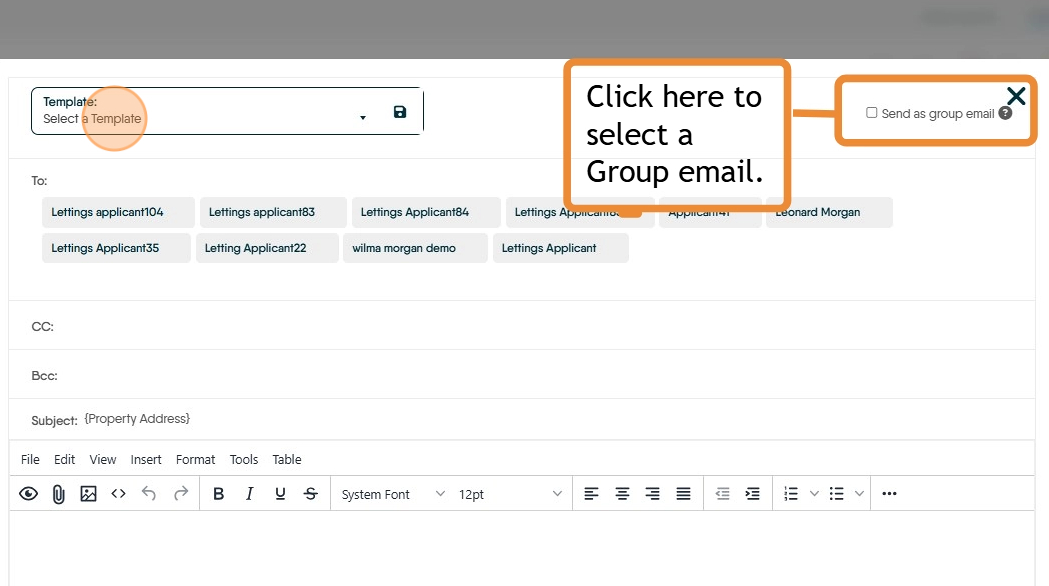
13. Select the template you wish to use. Then click "send".
